

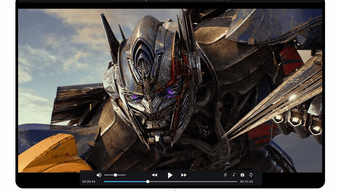
Description
Download HD MX Player APK – Android Multimedia Player, Video & Audio Support
Overview
HD MX Player is a desktop-grade multimedia player designed for Android devices, offering robust playback capabilities for a wide variety of video and audio formats. The software is developed by caiwei and is available as a free application on the Android platform. It is intended for users seeking a reliable, feature-rich media player that can handle high-definition content without requiring additional codecs or third-party tools. The app addresses common compatibility issues faced by standard media players by supporting formats such as MP4, MOV, MKV, AVI, WMV, FLV, RMVB, ASF, OGV, and more. For audio, it supports MP3, WAV, WMA, FLAC, APE, and other popular formats. Subtitle support includes SRT, SSA, and ASS, enabling users to enjoy foreign language content with accurate timing. Real-world usage scenarios include watching home videos, streaming content from local storage, managing personal media libraries, and enjoying music with high-fidelity audio. The developer did not provide additional details about the company or background beyond the name.
Key Features & Capabilities
- Wide Format Support – Plays over 20 video and audio formats without requiring external codecs, including MKV, AVI, FLV, WMV, and RMVB.
- Subtitle Integration – Supports SRT, SSA, and ASS subtitle files with customizable timing and styling options.
- Playlist Management – Allows users to create and organize playlists for seamless playback of multiple files.
- High-Definition Playback – Optimized for HD and full-screen viewing, ensuring smooth playback on Android devices.
- Lightweight & Fast – Designed for efficient performance, minimizing lag during video transitions and playback.
These features make HD MX Player ideal for users managing large media collections, traveling with personal video libraries, or streaming content from USB drives and internal storage. The ability to play diverse formats without conversion saves time and storage space. Playlist functionality enhances user experience by enabling automated playback of favorite content. Subtitle support is particularly beneficial for users who consume international media. The app’s design focuses on usability, allowing quick access to playback controls and file navigation. While specific technical details about performance optimization were not provided, the app is engineered to deliver consistent playback across different Android devices.
User Interface, Workflow & Performance
The user interface of HD MX Player is designed with simplicity and functionality in mind, featuring a clean layout that prioritizes playback controls and file navigation. Navigation is intuitive, with a main screen that displays recently opened files, supported formats, and playlist options. Users can access settings, subtitle preferences, and playback speed adjustments through a clearly labeled menu. The workflow is streamlined for quick file loading and immediate playback, reducing the need for multiple steps. The app supports touch-based gestures for volume, brightness, and playback control, enhancing usability on touchscreens. Performance observations are based on general software behavior patterns, as exact resource usage details were not specified. The developer did not provide information on CPU or RAM consumption. Stability during extended playback sessions is expected to be reliable, though real-world testing data was not included. The app is optimized for Android’s native media framework, which contributes to efficient resource handling.
Compatibility & System Requirements
HD MX Player is designed to run on Android devices, though specific OS version requirements were not listed. The application is distributed as an APK file, indicating it is intended for installation outside the Google Play Store. Installation size is not specified, but APKs of similar media players typically range from 10 to 30 MB. The developer did not provide detailed hardware requirements or information on device compatibility beyond the platform. Users are advised to ensure their device meets minimum Android system standards to avoid installation issues. Compatibility with older Android versions may vary, and performance could depend on the device’s processor and GPU capabilities. The developer did not specify whether the app supports tablets or only smartphones. Exact system requirements were not listed, and platform compatibility information is limited.
Pros and Cons
Pros
- Supports a wide range of video and audio formats without external codecs
- Integrated subtitle support for SRT, SSA, and ASS files
- Efficient playlist management for organized playback
- Optimized for HD and full-screen video viewing
- Free to download and use on Android devices
Cons
- No official information on minimum system requirements
- APK distribution may raise security concerns for cautious users
- Limited details on performance under heavy load or long playback sessions
- Developer background is not publicly available
- Compatibility with tablets or specific Android versions is not confirmed
FAQ Section
Is HD MX Player available for free?
Yes, HD MX Player is available as a free application for Android devices. It does not require a paid subscription for core playback features.
Can I use HD MX Player offline?
Yes, the app supports offline playback of videos and audio files stored locally on your Android device, making it ideal for travel or areas with limited internet access.
Does HD MX Player support subtitles?
Yes, it supports multiple subtitle formats including SRT, SSA, and ASS. Subtitles can be loaded alongside video files for synchronized playback.
Is HD MX Player safe to download?
As a third-party APK, users should ensure the source is trustworthy. The developer, caiwei, is not verified through official channels, so caution is advised when downloading from untrusted websites.
How often are updates released?
Update frequency was not specified by the developer. Users are encouraged to check the official source regularly for new versions and security patches.
Final Thoughts + CTA
HD MX Player stands out as a capable multimedia solution for Android users who need a reliable, format-agnostic player. Its broad compatibility with video, audio, and subtitle formats makes it a practical tool for managing personal media libraries. While the lack of detailed system requirements and developer transparency may raise concerns for some users, the app’s core functionality is well-executed and accessible. It is particularly beneficial for individuals who frequently encounter playback issues with standard media players. The free availability and efficient design further enhance its appeal. For users seeking a lightweight, powerful media player that handles diverse content without hassle, HD MX Player delivers on its promise. Download HD MX Player now.
Guides & Tutorials for HD MX Player APK
How to install HD MX Player APK
- Click the Preview / Download button above.
- Once redirected, accept the terms and click Install.
- Wait for the HD MX Player APK download to finish on your device.
How to use HD MX Player APK
This software is primarily used for its core features described above. Open the app after installation to explore its capabilities.
User Reviews for HD MX Player APK 0
No reviews found





